
HIKROBOT
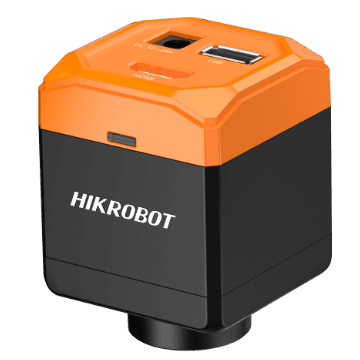
Microscope camera MV-CM2020C-0H
MV-CM2020C-0H
HDMI, 2 MP, Color, 60 fps
Price and availability on request
HDMI cameras output the camera image directly to a monitor, without a computer and without software. That makes them the simplest solution for visual inspection benches, microscopy, training and documentation, where a person judges the image and no automatic evaluation is needed. Settings such as exposure, white balance and image section are made on the camera or through an on-screen menu. VISIONTECHNIK offers HDMI area scan cameras from HIKROBOT with 2 to 12.4 megapixels, as colour cameras with 30 or 60 frames per second and C-mount.
4 products
No obligation · we usually reply within 24 hours on business days
HIKROBOT
MV-CM2020C-0H
HDMI, 2 MP, Color, 60 fps
Price and availability on request

HIKROBOT
MV-CM3040C-1H
HDMI, 4 MP, Color, 30 fps
Price and availability on request
HIKROBOT
MV-CM3040C-1H(MSD)
HDMI, 4 MP, Color, 30 fps
Price and availability on request

HIKROBOT
MV-CM3120C-1H
HDMI, 12.4 MP, Color, 30 fps
Price and availability on request
Wherever the image is viewed but evaluated by a person rather than by software: visual inspection at manual workstations, microscope and magnifier workplaces, demonstration and training, watching a process on a monitor.
If the image is to be stored, measured or processed by software, a USB 3.0 or GigE camera is the appropriate choice. Some HDMI models additionally offer a USB port for transfer to a computer.
Three questions matter most for the choice:
HDMI cameras are used, among other things, for:
Next technical step
Tell us the inspection task, object size, required resolution, cycle rate and the computer environment you have. We narrow down suitable models across manufacturers, check interface, lens and lighting together and say openly what still needs clarifying before a decision.
Request a suitable HDMI camera