
HIKROBOT
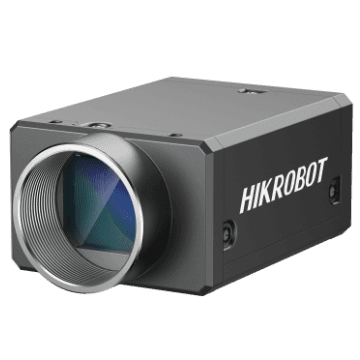
Area scan camera MV-CH330-60GC
Manufacturer part number: MV-CH330-60GC · 306304093
- Resolution
- 33 MP
- Pixels
- 6664 × 5008
- Max. frame rate
- 3.6 fps
- Color / mono
- Color
- Shutter type
- Global Shutter
- Sensor format
- 18 mm × 13.5 mm
- Pixel size
- 2.7 µm × 2.7 µm
- Interface
- GigE
- Lens mount
- C-Mount
Price and availability on request
No obligation · we usually reply within 24 hours on business days
Request this item directly by email
Not sure which model fits?
One of our staff will review your application and recommend the right configuration.
Have your application reviewedTechnical data
| Manufacturer part number | MV-CH330-60GC |
|---|---|
| Type | 33MP Area Scan Camera, GigE, Color |
| Sensor type | CMOS, global shutter |
| Sensor model | Stacked BSI |
| Pixel size | 2.7 µm × 2.7 µm |
| Sensor size | 18 mm × 13.5 mm |
| Resolution | 6664 × 5008 |
| Max. frame rate | 3.6 fps @ 6664 × 5008 Bayer BG 8 |
| Dynamic range | 63.6 dB |
| SNR | 38 dB |
| Gain | 0 dB to 14 dB |
| Exposure time | 92 µs to 10 sec |
| Exposure mode | Off/Once/Continuous exposure mode, supports TriggerWidth |
| Mono/color | Color |
| Pixel format | Mono 8/10/12 Bayer BG 8/10/10Packed/12/12Packed YUV422Packed, YUV422_8_YUYV RGB 8, BGR 8 |
| Binning | Supports 1 × 1, 2 × 2, 4 × 4 |
| Decimation | Supports 1 × 1, 2 × 2, 4 × 4 |
| Reverse image | Supports horizontal and vertical reverse image output |
| Data interface | Gigabit Ethernet (1000 Mbit/s), compatible with Fast Ethernet (100 Mbit/s) |
| Digital I/O | 6-pin P7 connector provides power and I/O, including opto-isolated input × 1 (Line 0), opto-isolated output × 1 (Line 1), bi-directional non-isolated I/O × 1 (Line 2). |
| Power supply | 9 VDC to 24 VDC, supports PoE |
| Power consumption | Typ. 3.7 W @ 12 VDC |
| Lens mount | C-mount |
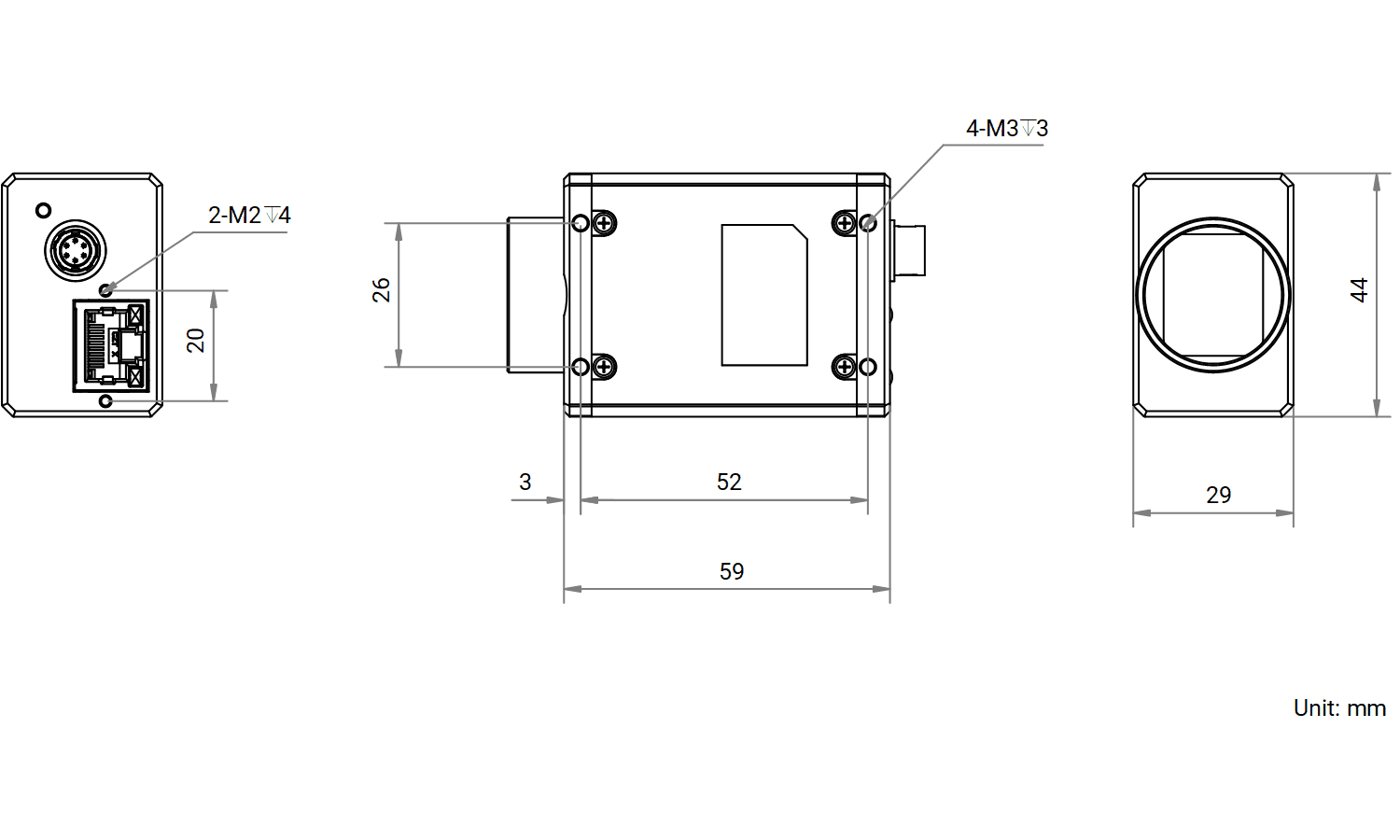
| Dimension | 29 mm × 44 mm × 59 mm (1.1" × 1.7" × 2.3") |
| Weight | Approx. 96 g (0.2 lb.) |
| Ingress protection | IP40 (under proper lens installation and wiring) |
| Temperature | Working temperature: 0 °C to 50 °C (32 °F to 122 °F) Storage temperature: –30 °C to 80 °C (–22 °F to 176 °F) |
| Humidity | 20 % RH to 95 % RH (no condensation) |
| Client software | MVS or third-party software meeting with GigE Vision Protocol |
| Operating system | 32/64-bit Windows 7/10, 64-bit Windows 11, and Linux |
| Compatibility | GigE Vision V2.0, GenlCam |
| Certification | CE, RoHS, KC |
| Input voltage | 9 VDC to 24 VDC, supports PoE |
Data according to the manufacturer's documentation. The current manufacturer datasheet, quotation and order confirmation are authoritative. Errors and changes excepted.
Dimensional drawing
Documents
- Download datasheet
Datasheet Flächenkamera MV-CH330-60GC
Datasheet · EN · 468 KB
- Download
Technical drawing Flächenkamera MV-CH330-60GC
Technical drawing · EN · 2 MB
Software and SDK (12)
- Download
MVS V5.1.0 (Windows)
Software / firmware · EN · 738 MB
- Download
MVS V5.1.0 (Linux) (aarch64)
Software / firmware · EN · 296 MB
- Download
MVS V5.1.0 (Linux) (x86)
Software / firmware · EN · 268 MB
- Download
MVS V5.1.0 (Linux) (x86_64)
Software / firmware · EN · 368 MB
- Download
MVS V5.0.2 (Windows)
Software / firmware · EN · 456 MB
- Download
MVS V5.0.2 (Linux)
Software / firmware · EN · 778 MB
- Download
MVS V5.0.0 (MacOS)
Software / firmware · EN · 86 MB
- Download
Industrial Camera SDK V4.8.1 Runtime Package (Windows)
Software / firmware · EN · 75 MB
- Download
Industrial Camera SDK V4.8.1 Runtime Package (Linux)
Software / firmware · EN · 146 MB
- Download
VisionMaster V4.4.0 Sample File
Software / firmware · EN · 956 MB
- Download
VisionMaster V4.4.0 Basic Package
Software / firmware · EN · 1775 MB
- Download
VisionMaster V4.4.0 DL Package (Supplemental) (2,7 GB)
Software / firmware · EN
- Download
Bedienungsanleitung Flächenkamera MV-CH330-60GC
Manual · EN · 4 MB
More HIKROBOT products in this category
- Area scan camera MV-CH250-90GM
- Area scan camera MV-CH250-90GN
- Area scan camera MV-CH310-10GC-F-NF
- Area scan camera MV-CH310-10GC-M58S-NF
- Area scan camera MV-CH310-10GM-F-NF
- Area scan camera MV-CH310-10GM-M58S-NF
- Area scan camera MV-CH330-60GM
- Area scan camera MV-CH1510-10FM-M72-TF
- Area scan camera MV-CH1520-90GM-M72-NN
- Area scan camera MV-CI003-GL-N6
- Area scan camera MV-CI003-GL-N15
- Area scan camera MV-CI003-GL-N25
Description
The MV-CH330-60GC from HIKROBOT is a color area scan camera with 33 MP and a GigE interface from the CH series. Its stacked BSI sensor of 18 mm × 13.5 mm carries a Bayer color filter in the BG pattern and exposes with a global shutter.
Technical data
With 6664 × 5008 pixels of 2.7 µm × 2.7 µm each, the camera reaches 3.6 fps in Bayer BG 8 at full resolution. HIKROBOT states a dynamic range of 63.6 dB and a signal-to-noise ratio of 38 dB. Besides Bayer raw data in BG 8, 10 and 12 and Mono 8, 10 and 12, the camera delivers internally computed color images in YUV422, RGB 8 and BGR 8. Gain ranges from 0 dB to 14 dB and exposure time from 92 µs to 10 s, also via trigger width. Data is transferred uncompressed over Gigabit Ethernet at 1000 Mbit/s. The camera is powered via PoE or with 9 VDC to 24 VDC through the 6-pin P7 connector with one opto-isolated input, one opto-isolated output and one non-isolated bidirectional line, at a typical 3.7 W at 12 VDC.
Operating conditions
The camera operates at 0 °C to 50 °C and is stored at -30 °C to 80 °C, each at 20 % to 95 % relative humidity without condensation. The C-mount housing measures 29 mm × 44 mm × 59 mm, weighs approx. 96 g and reaches IP40 when lens and cables are properly installed. Windows 7, 10 and 11 and Linux are supported.
Applications and selection
The camera suits color inspection of very large fields with fine structures, for example circuit boards or flat panel displays, when a few frames per second are sufficient. For pure dimensional inspection without color, the MV-CH330-60GM is the closer fit, and the USB version MV-CH330-60UC delivers more frames per second but needs its own power supply. The lens has to illuminate the 18 mm × 13.5 mm sensor format. We are glad to work out with you which lens and light color suit your inspection field; send your request via the inquiry basket.